2 min read
App guidelines
A few standards keep the catalog high-quality and every app safe to run.

Must
- Renders cleanly.
gdn validatepasses for every page. - No secrets. Never commit API keys. Declare an input with
app_input_type: api-key(the type that stores the key encrypted) and read it fromctx.inputs, see HTTP requests. - Assets live in
assets/. Every image the app uses sits in the app'sassets/folder and is listed underassets:in the manifest. Keep them small PNGs. Nothing is loaded from outsideassets/. - Preview images. Every app ships a
preview/folder with a render of each page (pluspreview.png, the catalog thumbnail). You don't make these by hand: Studio's Validate and Validate & Submit generate them for you, so just run one before you submit. - Sensible refresh. Use the slowest
refreshthat still looks live:3600for hourly data,300for fast-moving data,60only for clocks. Under 5 minutes every input is a pick-list and the app has at most 3 pages; under 15 minutes colors come from a dropdown. See Refresh and inputs. - Clear metadata. A real
name, a one-linedescription, and anauthor.
Studio builds the preview.png for you, every page of your app stacked into one image:
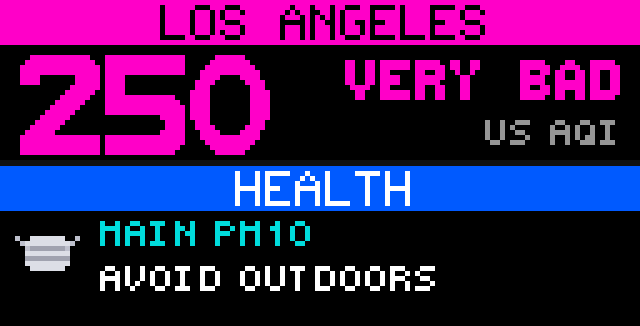
preview.png: each page at 5x, stacked. Validate or Submit generates it, so you never draw it by hand.Should
- Readable at 32px. Favor big fonts and high-contrast colors; test tiny text on the real panel size in preview.
- Helpful inputs. Give each input a clear
label, a gooddefault, and ahelphint. Pick the right input type. - Degrade gracefully. If an input is blank, fall back to a sane default rather than drawing nothing.
Design
The catalog is judged from across a room. Before you submit, walk the design pre-flight checklist — the short version:
- High contrast on a black or near-black ground; stroke any text on a filled
background with
c.text_stroke. - One hero per page, sized for 10–30 feet; every number carries a label or obvious pixel art.
- Scroll apps stay inside the safe zone (6–10 px of padding at the app's outer edges) and are previewed in sequence.
- The app identifies itself — a title, a splash page, or unmistakable pixel art.
- Four screens designed: live, error, empty, and demo.
The full rules, with the reasoning and the catalog's conventions, are in the design guidelines.
Naming
- App
id: lowercase, hyphens, no spaces (local-aqi, notLocal AQI). - Keep it descriptive, it's the folder name and the endpoint.